
What are user scripts?
User scripts put you in control of your browsing experience. Once installed, they automatically make the sites you visit better by adding features, making them easier to use, or taking out the annoying bits. The user scripts on Greasy Fork were written by other users and posted to share with the world. They're free to install and easy to use.
Step 1: install a user script manager
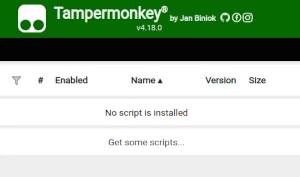
To use user scripts you need to first install a user script manager. Which user script manager you can use depends on which browser you use.
Desktop Mobile (Android) Mobile (iOS)
- Chrome: Tampermonkey or Violentmonkey
- Firefox: Greasemonkey, Tampermonkey, or Violentmonkey
- Safari: Tampermonkey or Userscripts
- Microsoft Edge: Tampermonkey or Violentmonkey
- Opera: Tampermonkey or Violentmonkey
- Maxthon: Violentmonkey
- AdGuard (no additional software required)
- Firefox: Greasemonkey, Tampermonkey, or Violentmonkey
- Microsoft Edge: Tampermonkey
- Maxthon: Violentmonkey
- Dolphin: Tampermonkey
- UC: Tampermonkey
- XBrowser (no additional software required)
- EinkBro (no additional software required)
- Safari: Tampermonkey or Userscripts
- Gear (no additional software required)
- Teak (no additional software required)
- EinkBro (no additional software required)
Step 2: install a user script
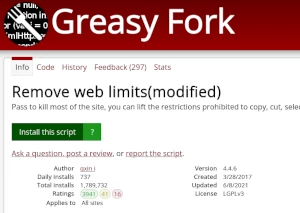
Browse this site to find a user script you want to try. Here is a sample of the most popular scripts:
- Nexus Download Collection - Download every mods of a collection in a single click
- Torn High-Low Helper (Advanced) - Hides incorrect button for high-low based on remaining cards.
- M3U8 Video Detector and Downloader - Automatically detect the m3u8 video of the page and download it completely. Fixed URL encoding issue to ensure PotPlayer works correctly.
- Discord Plus+ V1 — Bulk Delete, Msg Logger, Ghost Ping & Export - 🗑 Bulk delete YOUR messages in any channel or DM using Discord API v10 (smart rate-limit, retry, date/content filters). 👁 Log deleted messages in real-time. 👻 Auto-detect ghost pings with toast alerts. 📦 Export channel history to HTML/JSON/TXT. 🔑 One-click token detector + account info. All-in-one Discord web toolkit — no data leaves your browser. Works with Tampermonkey & Violentmonkey.
- Torn City Item Finder - Find and zoom on city map items in ONE click - No API key needed
Once you've found a user script, click the green install button on the user script's page, and your user script manager will ask you to confirm the install.
Step 3: use the user script
Go to the site the user script affects. It should automatically do its thing. After trying out the user script for a while, go back to where you installed the user script and leave some feedback for the user script's author.