Automatic answer solver for Kahoot with quiz/slider/jumble/open-ended support, answer highlighting, stealth mode, auto-join.
A Kahoot answer solver that shows you the correct answer for every question type so you can click it yourself and actually get points.
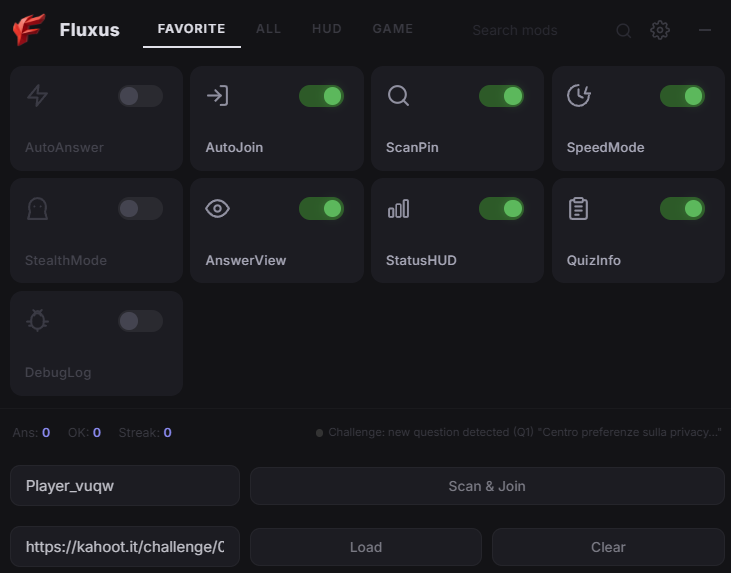
Fluxus is a Tampermonkey userscript that loads the answers for any Kahoot challenge or live game and displays them right on screen. Instead of auto clicking (which Kahoot detects and gives you zero points for), it shows a green floating banner at the top telling you exactly what to pick. You click it yourself, Kahoot sees a real human interaction, you get full points.
When you open a Kahoot challenge link, Fluxus grabs the quiz data from Kahoot's API in the background. As each question appears, it matches the live question text against the loaded answers and pops up a green banner with the correct answer.
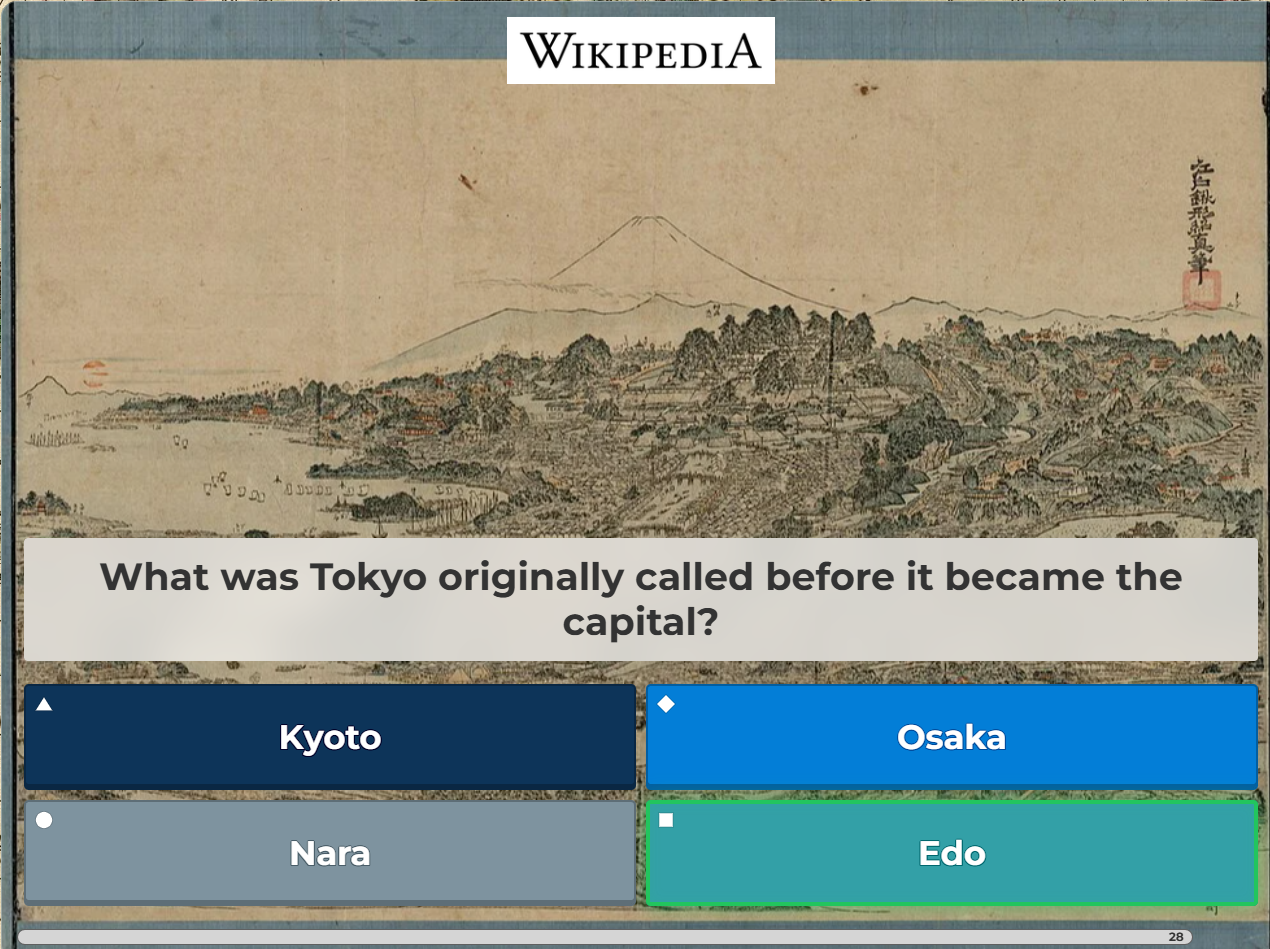
As you can see, the correct answer gets highlighted in green so you know exactly which one to click.
For multiple choice questions it says something like → Orangutan so you just tap that one. For slider questions where you need to pick a number, it shows → 1 or whatever the right value is. For ordering questions where you drag things into the right sequence, it shows the full order like 1. Support → 2. wildlife → 3. conservation → 4. organizations. And for fill in the blank questions it just tells you what to type.
On top of the banner, it also tries to put a green glow around the correct answer button when it can find it in the page. Sometimes Kahoot changes their HTML structure and the glow doesn't show up, but the green banner always works because it doesn't depend on finding specific page elements.
You need Tampermonkey (or any userscript manager) installed in your browser. Then just open the .user.js file and Tampermonkey will ask if you want to install it. Click install, done.
kahoot.it/challenge/12345678?challenge-id=...)If the quiz doesn't auto load, copy the challenge URL or quiz ID and paste it in the input field at the bottom of the panel, then hit Load.
The dark panel in the top right has toggle switches for different features. Here's what they do.
AutoAnswer is off by default. If you turn it on, the script will try to click answers automatically, but Kahoot usually doesn't give you points for that. Keep it off unless you don't care about points.
AutoJoin will automatically fill in the game PIN and nickname when you're on the Kahoot join page.
ScanPin looks for game PINs on the page so AutoJoin knows what to enter.
SpeedMode makes the script react faster. Only matters when AutoAnswer is on.
StealthMode adds random delays to look more human. Also only matters with AutoAnswer on.
AnswerView is what shows the green banner and highlights. This is the main feature, keep it on.
StatusHUD shows the answer count and streak in the panel.
QuizInfo shows which question you're on.
DebugLog opens a tiny console at the bottom of the panel showing what the script is doing behind the scenes. Useful if something isn't working and you want to see why.
You can minimize the panel by clicking the minus button. A small floating Fluxus icon will appear in the corner so you can reopen it anytime.
Pretty much everything Kahoot throws at you. Multiple choice, true/false, multi select, sliders, ordering/jumble, open ended text, word cloud, and brainstorm questions. The green banner works for all of them. The green glow highlight on buttons works for multiple choice when Kahoot's DOM cooperates.
The script description is translated in English, Italian, Spanish, French, German, Portuguese, Japanese, Korean, Chinese, Russian and Arabic. The answer detection works regardless of what language the quiz is in since it matches against the quiz creator's own answer data.
Built with love for people who just want to pass their Kahoot without memorizing 200 Wikipedia articles the night before.
