Greasy Fork is available in English.

GreasyFork 美化 | GreasyFork GitHub Redesign

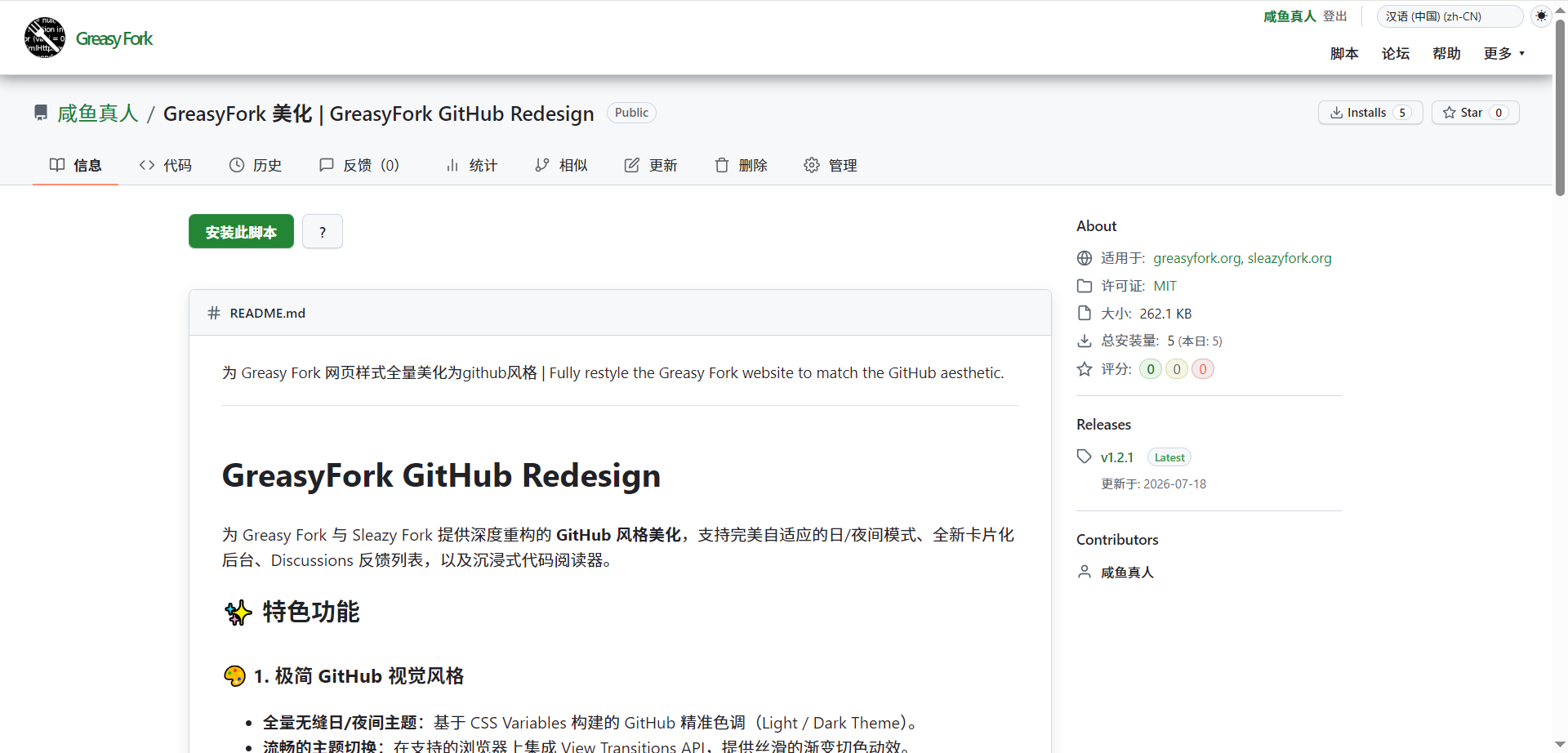
为 Greasy Fork 网页样式全量美化为github风格 | Fully restyle the Greasy Fork website to match the GitHub aesthetic.

You will need to install an extension such as Tampermonkey, Greasemonkey or Violentmonkey to install this script.

You will need to install an extension such as Tampermonkey or Violentmonkey to install this script.

You will need to install an extension such as Tampermonkey or Violentmonkey to install this script.

You will need to install an extension such as Tampermonkey or Userscripts to install this script.

You will need to install an extension such as Tampermonkey to install this script.

You will need to install a user script manager extension to install this script.

(I already have a user script manager, let me install it!)

You will need to install an extension such as Stylus to install this style.

You will need to install an extension such as Stylus to install this style.

You will need to install an extension such as Stylus to install this style.

You will need to install a user style manager extension to install this style.

You will need to install a user style manager extension to install this style.

You will need to install a user style manager extension to install this style.

(I already have a user style manager, let me install it!)

نووسەر
咸鱼真人
Daily installs
0
Total installs
41
Ratings
4 0 0
وەشان
1.2.4
Created
2026-07-17
Updated
2026-07-31
Size
342 KB
مۆڵەت
MIT
Applies to

GreasyFork GitHub Redesign

为 Greasy Fork 与 Sleazy Fork 提供深度重构的 GitHub 风格美化,支持完美自适应的日/夜间模式、全新卡片化后台、Discussions 反馈列表,以及沉浸式代码阅读器。 图片
✨ 特色功能

🎨 1. 极简 GitHub 视觉风格

  • 全量无缝日/夜间主题:基于 CSS Variables 构建的 GitHub 精准色调(Light / Dark Theme)。
  • 流畅的主题切换:在支持的浏览器上集成 View Transitions API,提供丝滑的渐变切色动效。
  • 现代化字体与间距:淘汰老旧的系统默认字体,采用符合主流审美的排版间距与微动效。

🏠 2. 全新设计的横向分屏首页

  • 交互重构:将冗长的首页板块重构为触控/滚轮自适应的横向滚动卡片式展示(Hero -> Intro -> Steps)。
  • 沉浸搜索:极具 GitHub 风格的宽幅搜索框及圆角边框。

🛠️ 3. 精致的卡片化后台与管理页面

  • 管理卡片重构:对“新建版本/更新”、“设置同步”、“删除脚本”等表单页进行深度卡片化重组。
  • 底部操作控制条(Action Bar):主提交按钮收纳至底部固定操作栏中,告别凌乱的原生表单布局。
  • 精化交互组件:将老旧的同步格式单选框重构为 GitHub 同款的 Segmented Pill 分段切换器。

💻 4. 强大的 GitHub 风格代码阅读器

  • 仿 GitHub 头部栏:展示代码语言、状态标签,附带高画质 SVG 图标。
  • 丰富控制工具
    • 换行开关:一键切换代码是否自动折行。
    • 全屏沉浸阅读:一键开启全屏沉浸式代码分析模式。
    • 内置 Prism.js 代码高亮:不依赖外部网络加载,100% 本地完成高效准确的代码高亮渲染。

💬 5. Discussions 反馈与列表

  • 讨论列表重构:将原本繁杂的反馈列表美化为 GitHub Discussions 的经典圆角卡片列表。
  • 身份标识章(Badges):突出作者标识(Badge-Author)和评价星级(Good / Ok / Bad)。

📄 许可证与作者信息

  • 作者: 咸鱼真人 (GreasyFork 主页)
  • 版权声明: 本项目遵循 MIT 协议开源。保留所有权利。

GreasyFork GitHub Redesign

A comprehensive GitHub-style visual overhaul for Greasy Fork and Sleazy Fork, featuring seamless day/night mode switching, a brand-new card-based dashboard, a Discussions feedback list, and an immersive code viewer.

✨ Key Features

🎨 1. Minimalist GitHub Visual Style

  • Seamless Day/Night Themes: Precision GitHub color palettes (Light/Dark) built using CSS Variables.
  • Smooth Theme Switching: Integrates the View Transitions API (on supported browsers) for silky-smooth color transition animations.
  • Modern Typography & Spacing: Replaces outdated system fonts with contemporary, aesthetically pleasing layouts and subtle micro-animations.

🏠 2. Redesigned Horizontal Split-Screen Homepage

  • Interaction Overhaul: Transforms the lengthy homepage sections into a responsive, horizontal scrolling card layout (Hero → Intro → Steps) optimized for touch and mouse wheels.
  • Immersive Search: Features a wide, GitHub-style search bar with rounded corners.

🛠️ 3. Refined Card-Based Dashboard & Management Pages

  • Card-Based Management: Deeply restructures forms—such as "New Version/Update," "Sync Settings," and "Delete Script"—into a clean card layout.
  • Bottom Action Bar: Moves primary submission buttons to a fixed bottom bar, eliminating the cluttered native form layout.
  • Polished UI Components: Replaces old-fashioned radio buttons with GitHub-style "Segmented Pill" switchers.

💻 4. Powerful GitHub-Style Code Viewer

  • GitHub-Style Header: Displays the coding language and status tags, accompanied by high-quality SVG icons.
  • Rich Control Tools:
  • Line Wrap Toggle: Switch code wrapping on or off with a single click.
  • Immersive Full-Screen Reading: Enter full-screen mode for focused code analysis with one click. - Built-in Prism.js Code Highlighting: No external network dependencies; code highlighting is rendered locally with high efficiency and accuracy.

💬 5. Discussions & Feedback

  • Discussion List Refactoring: Transformed the previously cluttered feedback list into a clean, rounded-card layout inspired by GitHub Discussions.
  • Badges: Highlights author identity (Badge-Author) and ratings (Good / Ok / Bad).

📄 License & Author Information

  • Author: Xianyu Zhenren (GreasyFork Profile)
  • Copyright Notice: This project is open-source under the MIT License. All rights reserved.